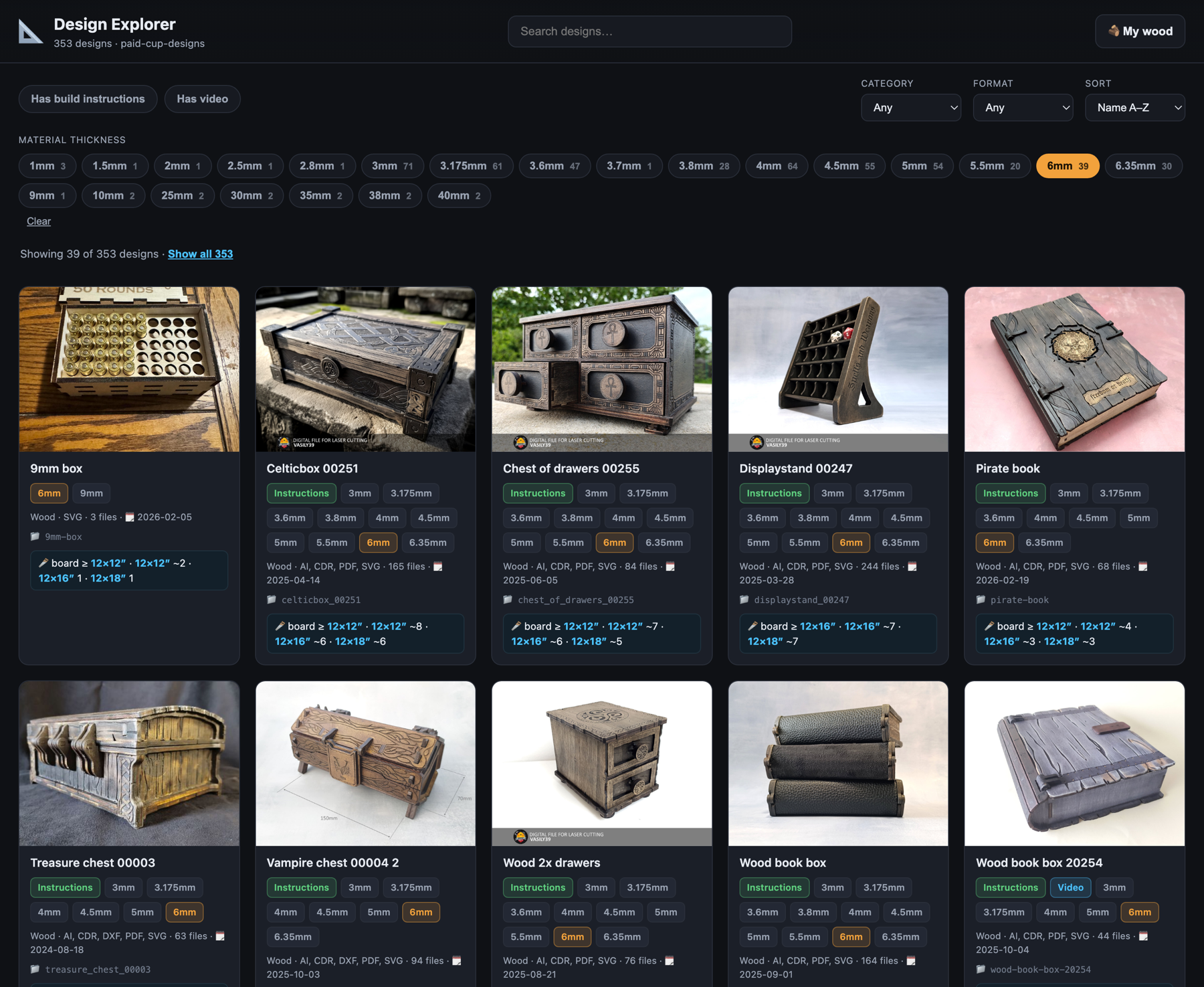
A small, zero-dependency local web app that scans a folder of purchased laser-cut design packs and turns it into a filterable gallery. It detects each design's material thicknesses, kerf variants, file formats, and build instructions — then auto-classifies it, works out how many boards it takes to cut, and tells you exactly what you can make from the wood you already own.
Scans your purchases directory and detects each design's preview image, material thicknesses (3/4/4.5/5/6mm…), kerf variants, file formats (SVG, PDF, DXF, AI, CDR, EPS), build instructions, readme dimensions, and YouTube build-video links.
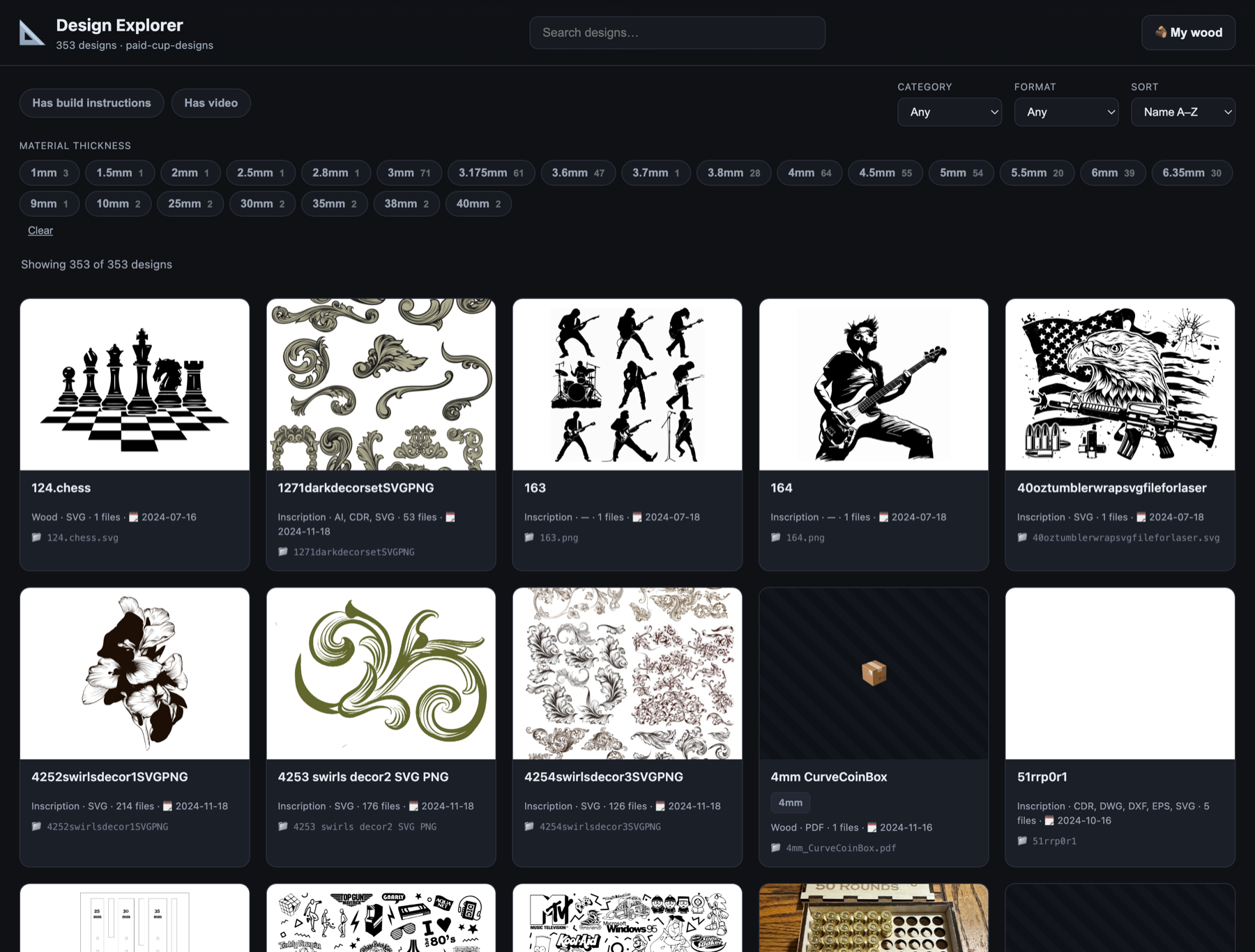
Sorts each design into Wood, Leather, or Inscription by combining name signals with file structure — kerf folders and several thicknesses are a decisive wood signal; thin-only or art SVG/PNG bundles fall to leather / inscription.
A chip per thickness found in your collection. Select one or several — designs that support any selected width show. 6mm is pre-selected and has build instructions is on by default, both fully adjustable.
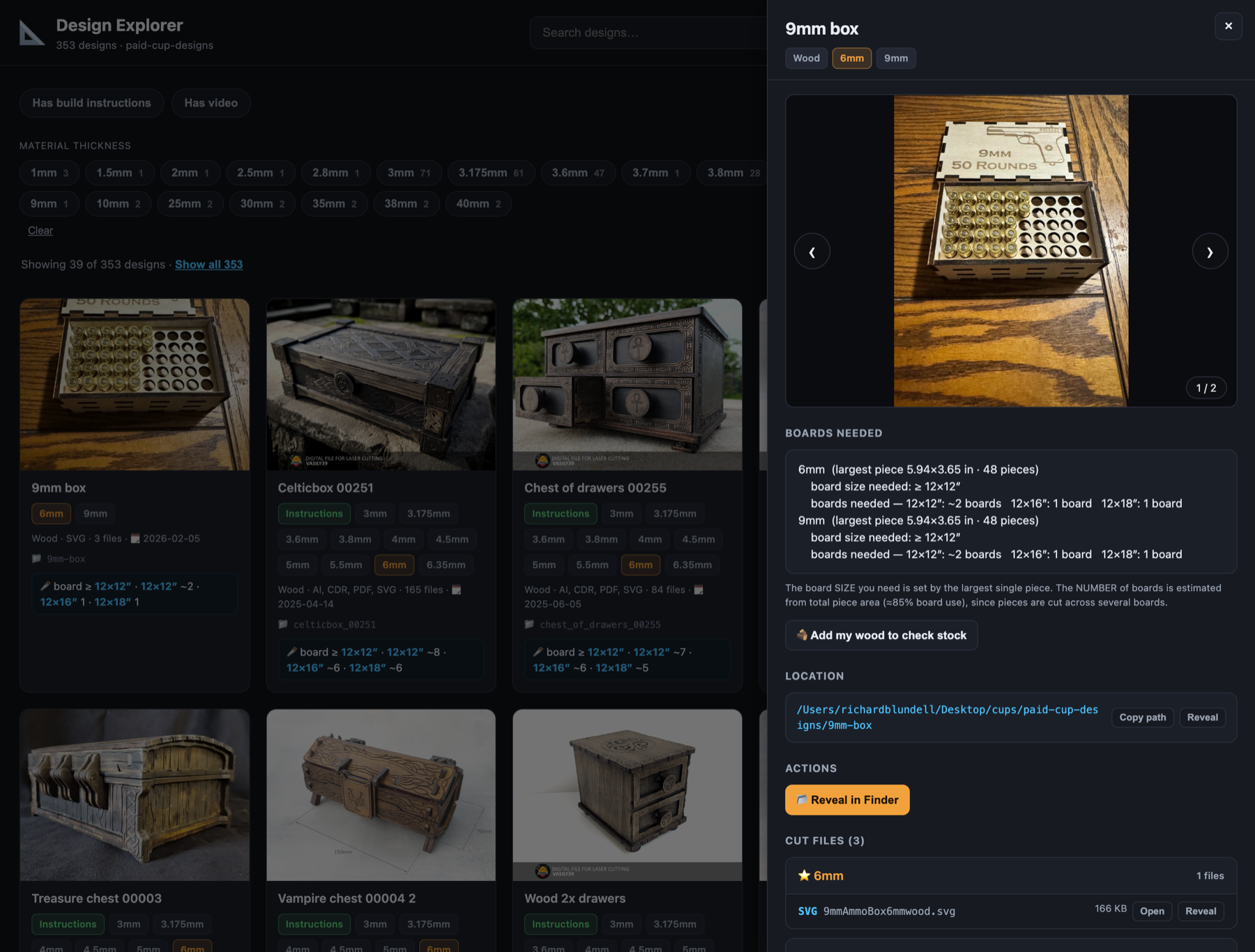
Every measurable design shows how many 12×12″ and 12×16″ boards it takes to cut — read from the SVG cut-layout size and judged by the largest individual piece, not the whole layout.
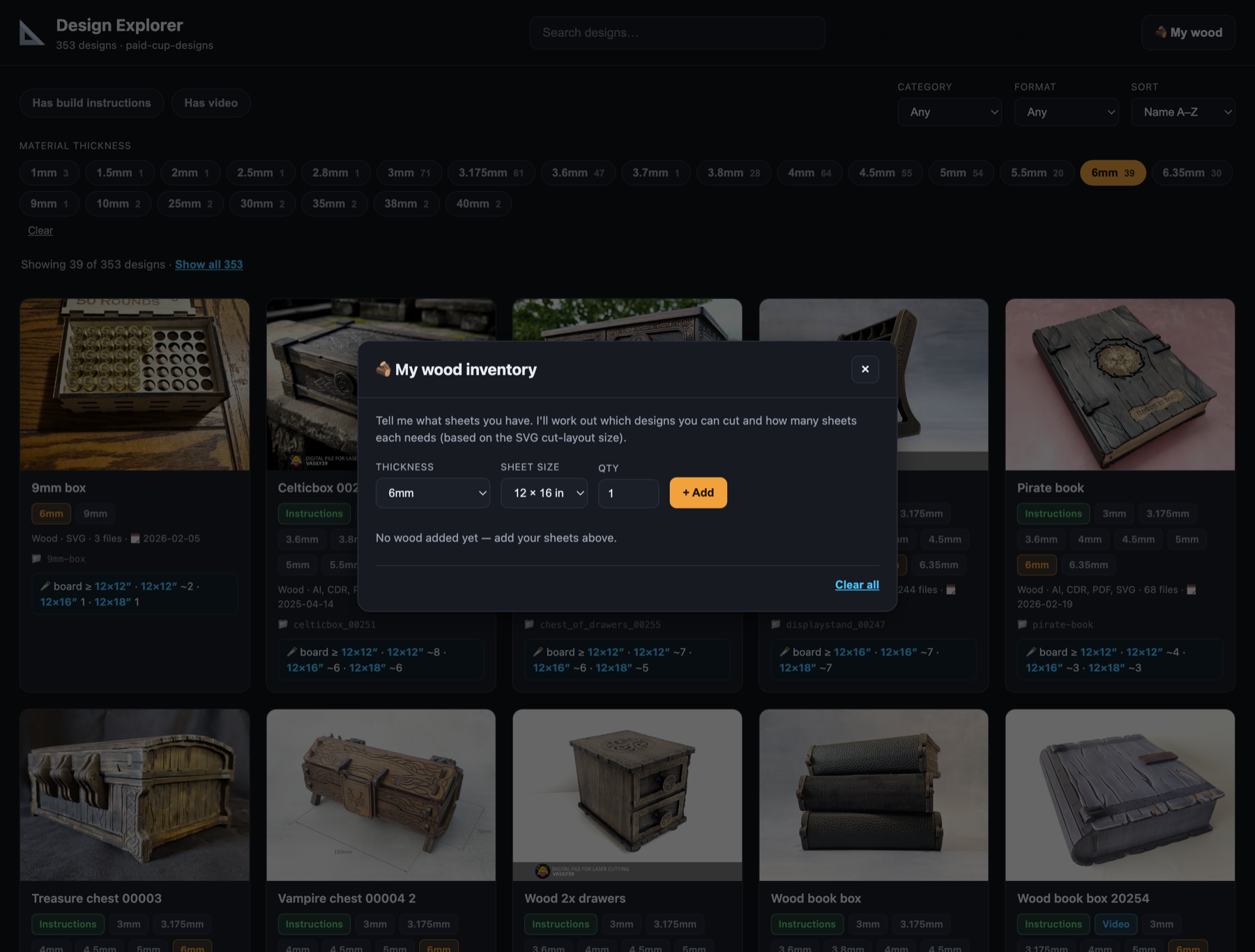
Enter the sheets you own (thickness × size × qty, saved in your browser). Each design is then tagged ✅ can cut now, 🟧 need more sheets, ⛔ too big, or "needs Xmm" — and an "I can make this" filter narrows the gallery to exactly what your stock covers.
Per design: an image carousel (arrow keys, click to open full size), a copy-path location block, build-instruction images/PDF, the readme (dimensions), the build-video link, and a file browser grouped by thickness with the selected width starred.
Every file and folder has buttons to open it with its default macOS app or reveal it in Finder — so you can send a 6mm SVG straight to your laser software.
Instant search across names, plus Category and Format filters and sort by name, date (newest/oldest), most files, or thickest. No build step, no spinner — it's all in one page.
Boxes, chests, drawers, organizers — multiple material thicknesses and kerf folders are the tell.
Wallets, holsters, sheaths — thin-material-only bundles with leatherworking name signals.
Engraving & print art — mandalas, tumbler wraps, line-art SVG / PNG with no cut layout.
# point it at your design packs (optional — has a sensible default) export DESIGNS_DIR=/path/to/your/laser-cut-designs # start the server — no install step, zero dependenciesnpm start# or: node server.js # then openhttp://localhost:8787